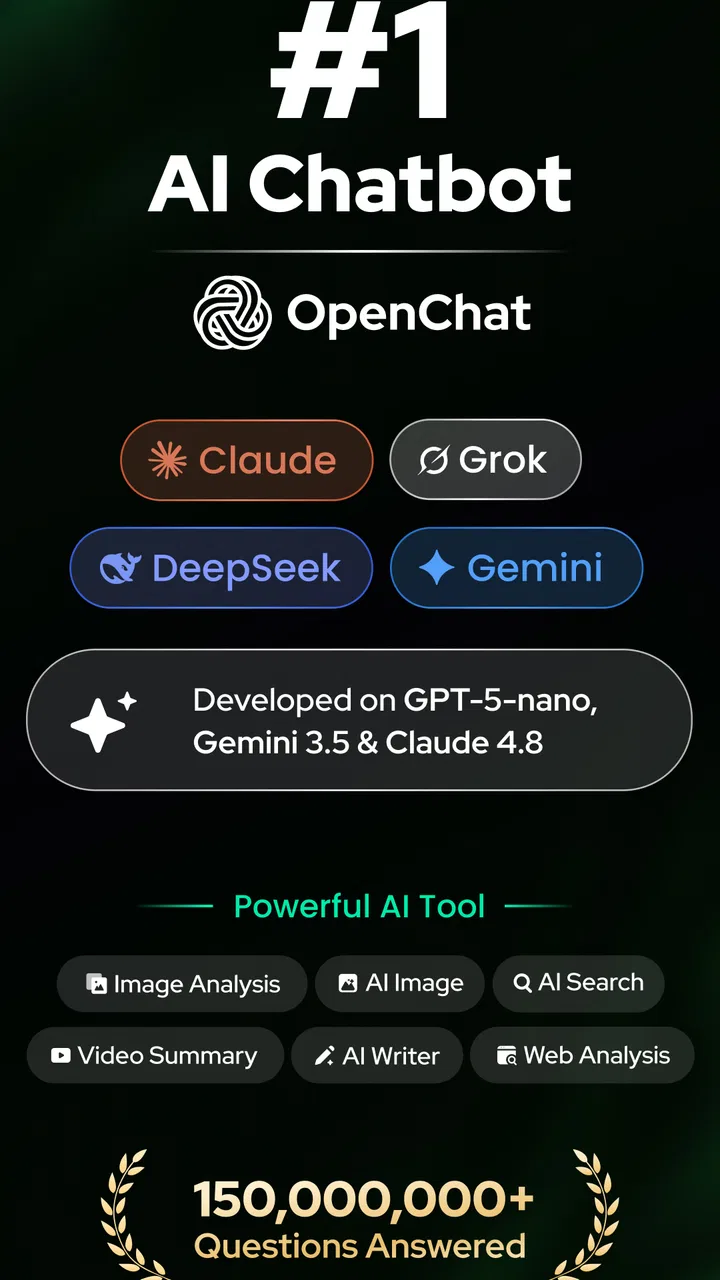
Open Chat - AI bot app
- 4.5
- Rating
- 50.00M
- Installs
- Free
- Price

 Analysis by App-foxy
I tested Open Chat as a practical writing and conversation assistant rather than treating it as a simple novelty chatbot. Its main appeal is clear: it puts an AI helper powered by ChatGPT into a lightweight productivity app that can answer questions, reshape rough notes, and help you get past a blank page. I found it most useful when I already knew what I wanted to say but needed help organizing it.
That distinction matters. Open Chat is not a replacement for careful research, professional editing, or a full office suite. It is better understood as a quick thinking partner for everyday tasks. You can ask it to explain a difficult idea, draft a message, suggest an outline, or turn scattered points into cleaner prose. The quality depends heavily on how clearly you describe the job, so the app rewards users who treat it as a tool to guide rather than an authority to obey.
How Open Chat feels in everyday use
The app sits in the productivity category and is developed by AceTools Team. It is free to install, with optional in-app purchases ranging from $4.99 to $59.99 per item. The Everyone content rating makes it approachable for a broad audience, although younger users should still be reminded that an AI response can sound confident while being incomplete or wrong.
You May Also Like

 AccuWeather: Weather Radar
AccuWeather Review: A Quick, Clear Forecast for Everyday Decisions
For everyday plans, the best forecast is the one you can understand quickly. AccuWeather makes rain timing, radar, and local conditions easy to act on, with a few trade-offs.

 Hill Climb Racing
Why Hill Climb Racing Still Turns Crashes Into One More Run
A tiny car, a bumpy hill and one more upgrade: Hill Climb Racing keeps resurfacing because its simple chaos makes every near-miss feel personal.

 AliExpress - Shopping App
AliExpress Makes Global Shopping Feel Personal, but Shoppers Bear the Risk
AliExpress turns a global marketplace into a pocket-sized discovery engine. Its reach is useful, its shopping loop compelling, and its trade-offs easy to miss.

 Lords Mobile: Kingdom Wars
Lords Mobile Is a Kingdom-Building Routine, Not a Quick Match
A case-by-case verdict on the building, battles, device demands, and social commitments that make Lords Mobile rewarding for some players and exhausting for others.

 PDF Scanner app - TapScanner
TapScanner Makes Paperwork Easier to Capture, Check, and Share
TapScanner makes scanning with a phone feel less like a rescue operation and more like a dependable step in getting work done. Its capture tools are useful, though not flawless.

 Block Blast!
 Shows How Much a Puzzle Game Can Leave Out
A quiet grid game shows why puzzle players increasingly value instant clarity, repeatable skill and low-pressure play—and where the genre still needs to catch up.
More From Our News Desk
View All News


In my experience, the best first step is to give Open Chat context before asking for an answer. A request such as “write an email” is too open-ended. A more useful prompt explains who the recipient is, what outcome you want, how formal the message should sound, and what details must remain unchanged. This produces a more usable first draft and reduces the amount of rewriting afterward.
A realistic example is a busy morning when I need to reply to a customer, summarize a long set of meeting notes, and prepare a short list of follow-up tasks. I can paste the notes, ask for a neutral summary, then request a separate action list with owners and deadlines clearly marked. After that, I can use the result as a working document rather than copying the entire conversation into a notebook. The important habit is to check every name, date, and commitment before sending anything.
Its strongest role is turning a vague starting point into an organized draft. That saves mental effort without pretending that the draft is finished work. I would use it for brainstorming, rewriting, explanations, and routine communication. I would not use an unverified answer for medical decisions, legal conclusions, financial instructions, or any situation where a mistake could cause serious harm.
Writing help that is more useful than one-click drafting
Open Chat becomes more valuable when you use it in stages. Instead of asking for a perfect article immediately, I prefer a sequence: identify the audience, create an outline, challenge the weak points, draft one section, and then edit for tone. This workflow gives me more control and makes it easier to notice when the assistant has misunderstood the subject.
It can also help with tone changes. A message written in frustration can be softened without becoming vague, while a long explanation can be reduced to a few clear paragraphs. For students, it may help explain a concept in simpler language or generate practice questions. For work, it can turn bullet points into a meeting recap. For personal use, it can help plan a trip, compare options, or create a checklist from an unstructured idea.
One less obvious use is asking the assistant to identify missing information before writing. For example, when preparing a project brief, I can ask what a reader would still need to know. That often exposes gaps in my own thinking: the intended audience, the success criteria, or the next action. This is more useful than accepting a polished paragraph that hides an incomplete plan.
Another good technique is to request alternatives rather than a single answer. I might ask for three subject lines with different levels of formality, or two versions of a paragraph aimed at different readers. Comparing options helps me make a decision and prevents the first generated wording from becoming the default simply because it appeared quickly.
Where it differs from ordinary productivity tools
A notes app gives me reliable control over what I write, but it does not usually help transform rough thoughts into a structure. A traditional search engine is better when I need sources, current information, or several pages to compare, while Open Chat is faster for turning information I already have into a readable explanation. A grammar checker is more focused on surface errors; this app is more useful when the problem is structure, clarity, or tone.
That advantage comes with a trade-off. Search results expose multiple sources and let me inspect where information came from. A chatbot response usually arrives as one smooth answer, which can make uncertainty less visible. I therefore use Open Chat after collecting important facts, not instead of collecting them. For a research-heavy assignment, a browser, source documents, and a dedicated writing editor remain the better combination.
Compared with writing everything manually, the app is faster at producing a first pass but weaker at preserving a personal voice unless I actively guide it. If I want a piece of writing to sound like me, I provide a short sample or describe the rhythm and level of formality I prefer, then edit the result. Otherwise, the wording can feel too even and generic.
Users also need to think about what they paste into an AI service. I avoid entering passwords, private customer details, confidential workplace material, or identifying information that does not need to be there. Even when a task seems harmless, replacing names and sensitive figures with placeholders is a sensible workflow. Open Chat is convenient, but convenience should not decide what information is safe to share.
What the current release tells me
The current version is 1.2.5, and the app was released on April 21, 2023. Those details place it in the category of a relatively established tool rather than a brand-new experiment. Its public reach is also substantial, with over 10 million installs, an average rating of 4.5 from around 137 thousand ratings, and about 1.5 thousand written reviews.
I see those figures as signs that the basic idea has found an audience, not as proof that every response will be excellent. A large user base can indicate that the app is easy to understand and useful for common tasks, while written feedback is often more valuable for spotting recurring friction. I would pay particular attention to comments about response consistency, interruptions, and how well the app handles longer conversations.
The version number is worth keeping in mind when judging the experience. A product at this stage can feel mature in its central purpose while still changing around the edges. New releases may improve the interface or smooth out everyday use, but I would not assume that an update automatically solves the deeper limitations of AI-generated text. The core need for fact-checking and clear prompting remains.
For existing users, the practical effect of continued development is likely to be less about learning an entirely new product and more about adjusting small habits as the interface evolves. I recommend keeping important drafts in a separate notes or document app. That way, an update, a changed conversation flow, or an accidental deletion does not become a reason to lose work.
Who will get the most from it
Open Chat is a good fit for people who regularly face small writing obstacles. If you often know the point you want to make but struggle with the opening sentence, the structure, or the right tone, it can provide momentum. It is also useful for multilingual users who want to improve clarity, simplify wording, or compare different ways to express the same idea in English.
Students can use it as a tutor-like conversation partner when they ask for explanations, examples, and practice rather than simply requesting completed homework. A productive approach is to ask for a hint first, attempt the problem independently, and then ask the app to point out where the reasoning went off track. That turns the assistant into a learning aid instead of a shortcut that leaves the underlying subject unclear.
Small business owners and freelancers may appreciate the speed when preparing client messages, service descriptions, content ideas, or basic planning documents. The app can help separate a complicated task into steps, which is often where time is lost. Still, the final wording should reflect the business’s actual policies and promises, because a fluent sentence can accidentally commit you to something you never intended to offer.
I would recommend skipping it if you want a fully offline writing tool, a specialist editor with detailed document controls, or a research platform that shows sources beside every claim. It is also a poor match for anyone who expects one prompt to produce a publication-ready result. People who dislike reviewing generated text may save time by using a simpler template-based app instead.
Practical habits that improve the results
First, separate instructions from source material. I label pasted text as background and then state exactly what Open Chat should do with it. This reduces the chance that a sentence inside the source material will be mistaken for a new instruction. I also specify the desired format, such as a short paragraph, numbered steps, or a table-like list, depending on what I need to use afterward.
Second, ask for uncertainty to be made visible. When the subject involves facts, I can request that the assistant mark assumptions and identify points that require checking. This does not make the answer automatically reliable, but it makes the review process more deliberate. I then verify important claims independently instead of trusting a confident tone.
Third, use a two-pass edit. On the first pass, I check meaning: names, figures, dates, conditions, and whether the answer actually addresses the request. On the second, I check style: repetition, unnecessary claims, awkward transitions, and whether the wording sounds like something I would really say. This is especially important when using the app for professional communication.
A fourth technique is to ask for criticism of its own draft. I might request a list of unclear statements, unsupported assumptions, or questions a skeptical reader could ask. That does not replace a human editor, but it often reveals weak spots faster than rereading a polished paragraph passively.
Remaining gaps and everyday friction
The biggest limitation is not a missing button; it is the nature of conversational AI. Open Chat can produce an answer that is grammatically clean and logically arranged while still getting a detail wrong. The smoother the writing, the easier it is to overlook that problem. I treat every important response as a draft that needs inspection.
Long or complicated tasks can also become harder to manage. As a conversation grows, earlier instructions may become less prominent, and the assistant may focus on the latest request rather than the full objective. When that happens, I restate the goal and the non-negotiable details instead of continuing to add corrections to an increasingly messy thread.
The free entry point is attractive, but the presence of optional purchases means users should pay attention before committing to anything. I would begin with ordinary tasks and decide whether the app genuinely fits my routine before considering paid access. The right value test is not how impressive one answer looks; it is whether the app repeatedly saves time on work I actually do.
There is also a personal-style limitation. AI can imitate a tone, but it may flatten the small quirks that make writing sound human. For a private checklist, that rarely matters. For a personal letter, a public statement, or creative work, I would use the generated text only as scaffolding and restore my own choices during editing.
What I would watch as the app evolves
For future updates, I would watch how well Open Chat handles continuity between related tasks. The most meaningful improvement would be a smoother way to move from brainstorming to drafting to revision without losing the original purpose. I would also look for clearer control over response style and better ways to distinguish a creative suggestion from a factual answer.
I would pay attention to transparency as well. Users benefit when the app makes it easy to understand what kind of answer they are receiving and when they should verify it. Clear handling of sensitive material, predictable access to conversations, and straightforward explanations of paid options matter just as much as faster drafting.
Existing users should judge updates by their effect on real routines rather than by version numbers alone. After an update, I would test a familiar task: rewrite a message, summarize notes, and ask for a structured plan. If the results are easier to steer and require fewer corrections, that is meaningful progress. If the wording merely looks different, the practical benefit may be small.
Open Chat currently makes the most sense as a flexible assistant for first drafts, explanations, and organizing thoughts. I like it because it reduces the friction between having an idea and putting that idea into usable words. I remain cautious because speed can encourage careless acceptance, especially when the response sounds authoritative.
My recommendation is straightforward: try it for low-risk tasks, give it precise instructions, and keep your own judgment in charge. The app is free, available for devices running Android 6.0 or later, and its broad adoption suggests that the basic experience works for many people. Just remember that its best contribution is momentum, not certainty. Used that way, Open Chat is a handy productivity companion rather than a substitute for thinking, checking, or editing.
FAQs for Open Chat - AI bot app
01What is Open Chat - AI bot app used for?
Open Chat - AI bot app is designed to provide users with a seamless and engaging conversational experience. It uses advanced AI algorithms to simulate human-like interactions, making it perfect for casual conversations, customer support, or learning new information. The app can help streamline communication and make interactions more efficient and enjoyable.
02Is Open Chat - AI bot app free to use?
Open Chat - AI bot app offers both free and premium features. The free version allows users to engage in basic conversations with the AI, while the premium version unlocks additional features such as personalized responses, advanced language capabilities, and priority support. Users can choose the plan that best fits their needs.
03How does Open Chat ensure user privacy and data security?
Open Chat - AI bot app places a high priority on user privacy and data security. The app uses encryption and secure storage protocols to protect user data. Additionally, it complies with all relevant data protection regulations, ensuring that user information is handled with the utmost care and confidentiality.
04Can Open Chat be used for business purposes?
Yes, Open Chat - AI bot app is versatile and can be utilized for various business purposes. It can handle customer inquiries, provide quick responses, and improve customer satisfaction. Businesses can integrate the app into their customer service strategies to enhance communication and streamline operations effectively.
05What platforms is Open Chat - AI bot app available on?
Open Chat - AI bot app is available for download on both Android and iOS platforms. Users can easily find it on the Google Play Store and the Apple App Store. The app is designed to be user-friendly and compatible with a wide range of devices, ensuring a smooth user experience across different systems.
Pros
- Highly responsive AI interactions.
- User-friendly interface design.
- Supports voice and text input.
- Regular updates with new features.
- Low data consumption.
Cons
- Limited free version capabilities.
- Occasional delays in responses.
- Requires stable internet connection.
- Ads can be intrusive.
- Lacks customization options.

Open Chat - AI bot app
Gallery